Foundations
Actuality
This article is still useful if you want a stable model for organizing knowledge in Notion rather than a tour of the current interface. The screenshots are old, and some labels have changed, but the underlying ideas still hold: separate storage from presentation, organize information by durable areas of responsibility, and use relations instead of copying structure.
Read this piece for the architecture, not for UI fidelity.
Thesis
What makes Notion valuable is not that it can hold notes. Many tools can do that. What matters is that Notion combines pages, databases, and relations in one place, which makes it suitable for personal knowledge management rather than simple note-taking.
That comes with a trade-off. Notion is flexible enough to support a good system, but also flexible enough to let you build a bad one. The problem is rarely the tool itself. The problem is usually a weak information model.
For my own use, I prefer a slightly slower tool with a stronger relational model over a faster tool that keeps everything flatter and more isolated.
Core concepts
The setup depends on one distinction: pages present information, databases store repeatable entities.
Page. A page is a container. It is useful for writing, navigation, and presentation.
Database. A database is where repeated things should live: activities, notes, areas, tags, or references.
Relation. A relation connects one database to another. This is the feature that turns separate notes into a system.
Limits
This setup is not universally good.
- If you prefer fast native tools, Notion may still feel heavy.
- If you do not need relations, databases may be unnecessary overhead.
- If you create too many tags or too many databases, the system becomes harder to maintain than the knowledge it contains.
The main risk is complexity. Notion makes complexity feel cheap at first, but maintenance eventually exposes every weak decision.
Implementation and examples
Storage versus interface
My "Desktop view" is a regular Notion page, but I treat it as an interface layer rather than as the archive itself.
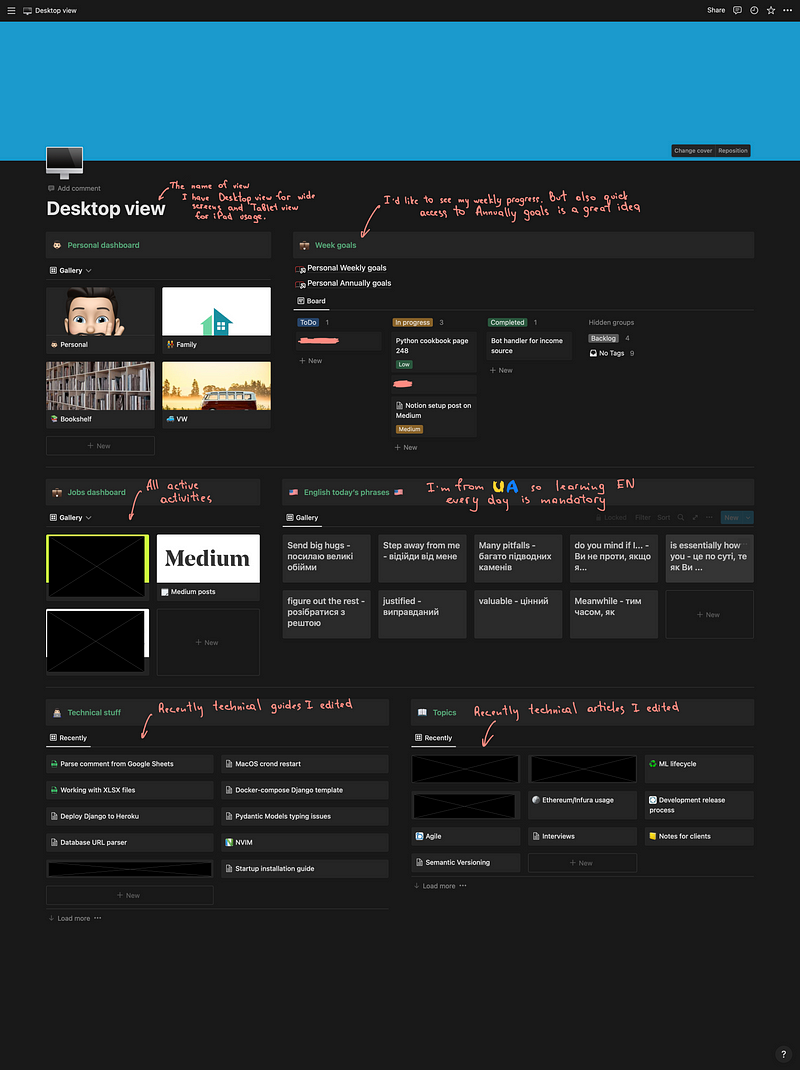
That distinction matters. The front page can change as my work changes. The underlying information should not have to move every time I redesign the dashboard.
The home page is a view over the system, not the system itself.
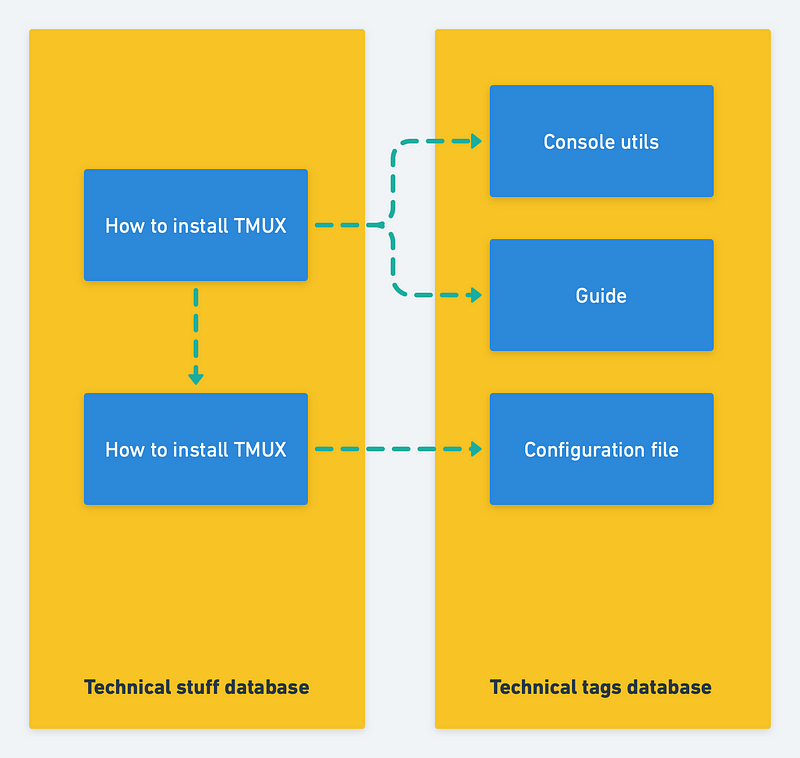
The simplified structure looks like this:
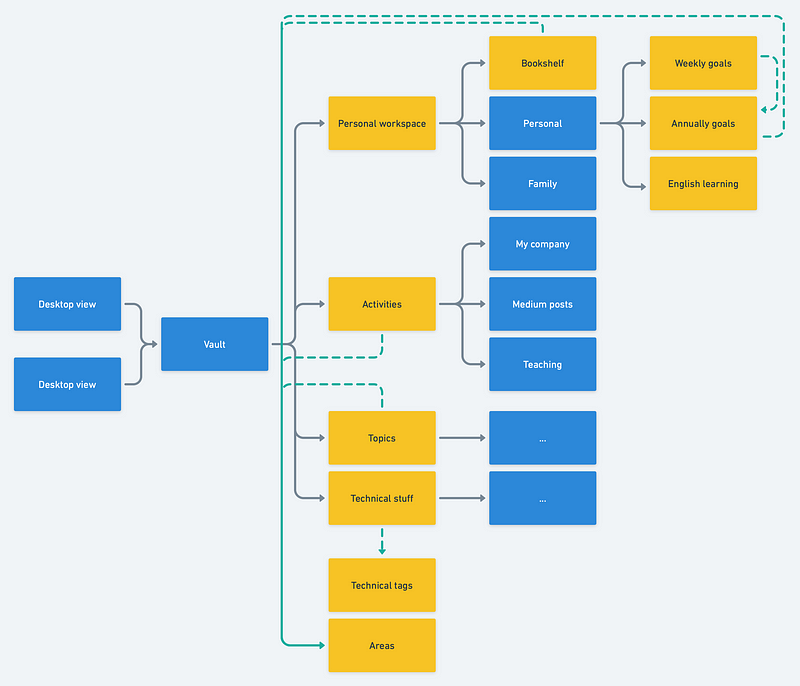
- Blue: Notion page
- Yellow: Notion database
- White: contains a page or database
- Green: database relations
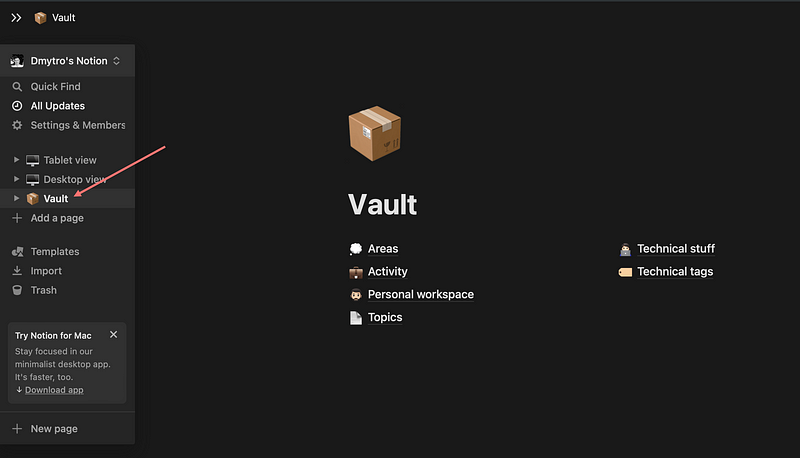
And in Notion, the relations look like this:
Areas as the organizing principle
The most important decision in this setup is the use of Areas as a shared classification layer.
By Areas I mean long-lived domains of responsibility such as Development, Health, or Technologies. They are not projects and they are not single notes. They are the stable parts of life and work that continue to require attention over time.
This idea is closest to the Areas part of the PARA method (Projects, Areas, Resources, Archives). In more general information-architecture terms, it is a lightweight taxonomy. Because the same Area relation is reused across multiple databases, it also behaves like a simple form of faceted classification.
That is useful for a simple reason: an Area gives you a durable organizing axis.
A single Area can connect:
- an ongoing activity
- long-term goals
- saved notes
- technical material
- external references
Instead of keeping these things in unrelated silos, the system makes them legible through one shared concept.
Database roles
The workspace stays manageable because each database has a narrow role.
Areas. Long-lived responsibility domains used as relations elsewhere.
Activity. Major ongoing activities such as work, writing, or side projects.
Personal workspace. Personal pages, goals, and other private reference material.
Topics. Articles, notes, and references worth keeping.
Technical tags. A second, narrower taxonomy used only for technical material.
Technical stuff. Snippets, comparisons, guides, benchmarks, and other technical notes.
I do not want one giant database that tries to represent everything. I want a small number of databases with clear purposes and clear boundaries.
A concrete example
Let us take Activities as the example.
The Area relation is what turns a flat list into a navigable structure.
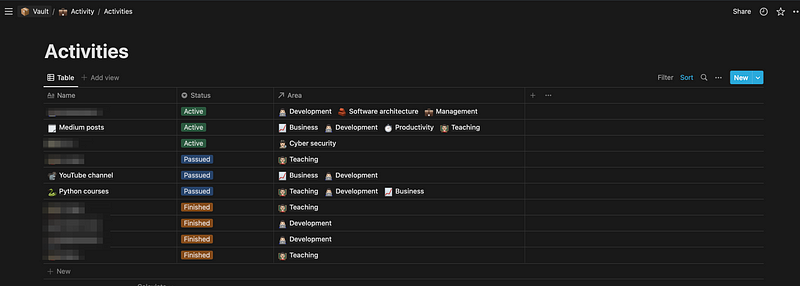
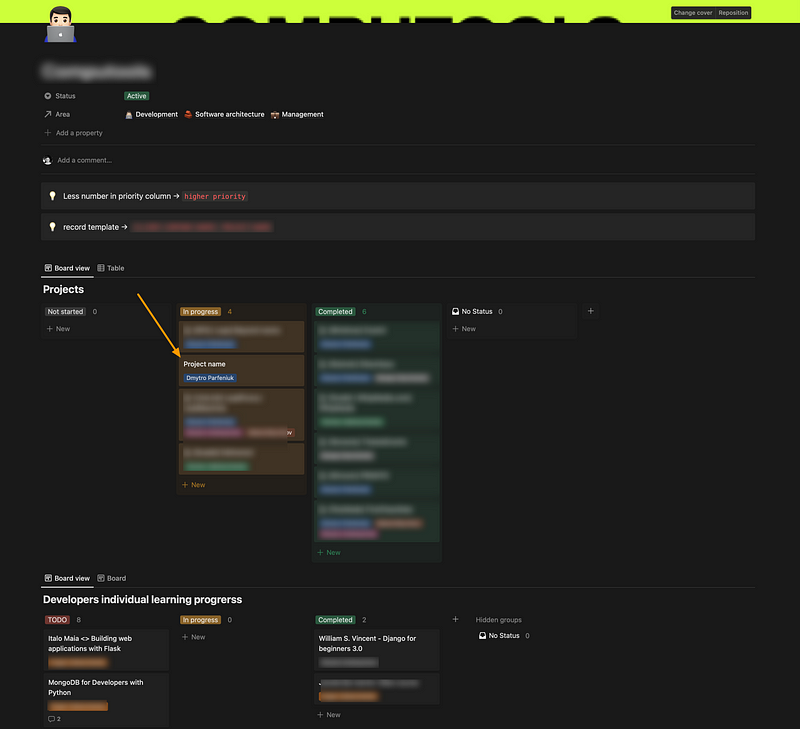
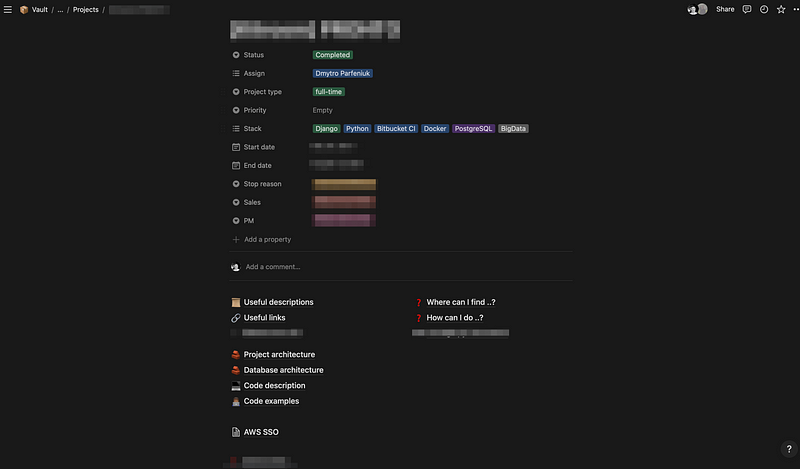
Inside an activity page I may still create supporting pages, but I try to keep the hierarchy shallow. Notion allows endless nesting; that does not make endless nesting a good idea.
A simple rule helps here: if something is a repeatable entity, it should probably be a database item. If it is a one-off explanation, it can remain a page.
The same logic applies to Topics.
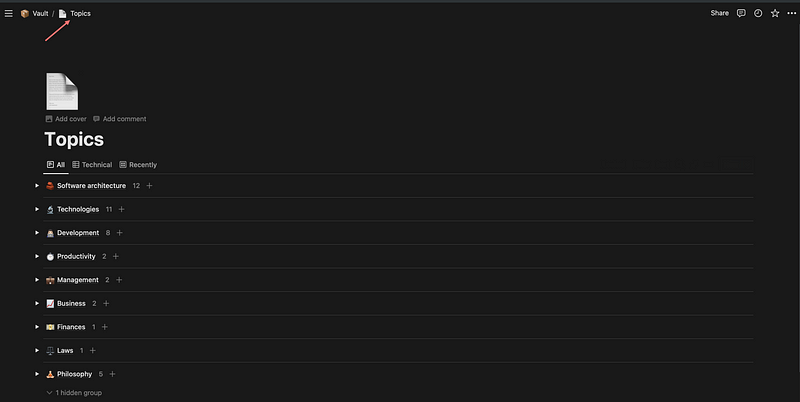
Once each note or article carries an Area relation, the database becomes much easier to filter, review, and reconnect to other parts of the workspace.
Technical knowledge needs a second taxonomy
A large part of my technical memory lives in Notion: code snippets, benchmarks, comparisons, configuration notes, and implementation guides.
The challenge is not storing that material. The challenge is finding it again.
That is why I use Technical stuff together with Technical tags.
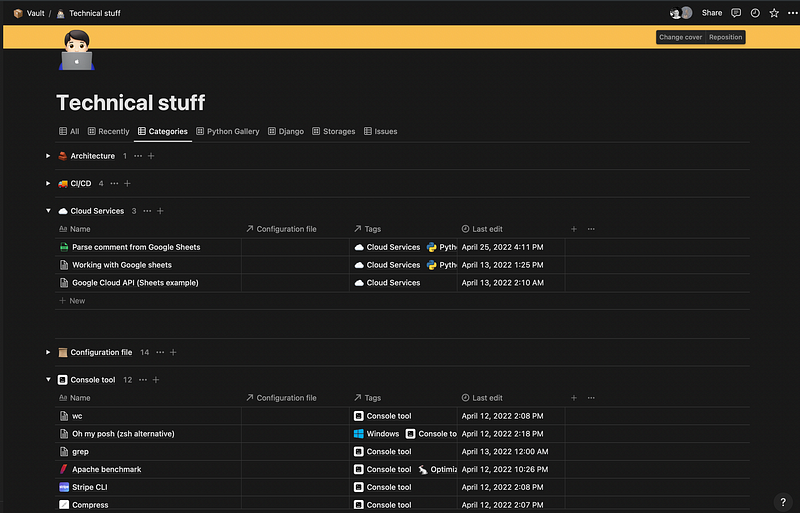
Here the distinction is important:
- Areas answer: where in my life or work does this belong?
- Technical tags answer: what exactly is this about?
The broader taxonomy keeps technical material connected to the rest of life and work. The narrower one makes retrieval practical inside a specialized domain.
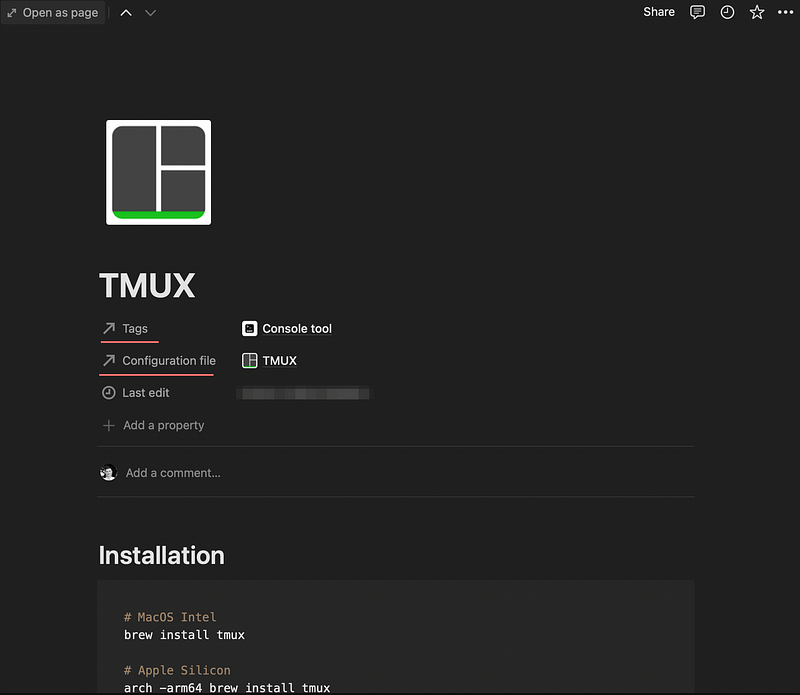
I also use self-relations in some cases, for example when one note depends on a related configuration file or companion guide.
Retrieval is the real test
A knowledge system should be judged less by how elegant it looks on day one and more by whether it helps you retrieve something six months later.
That is where area relations and tags prove their value.
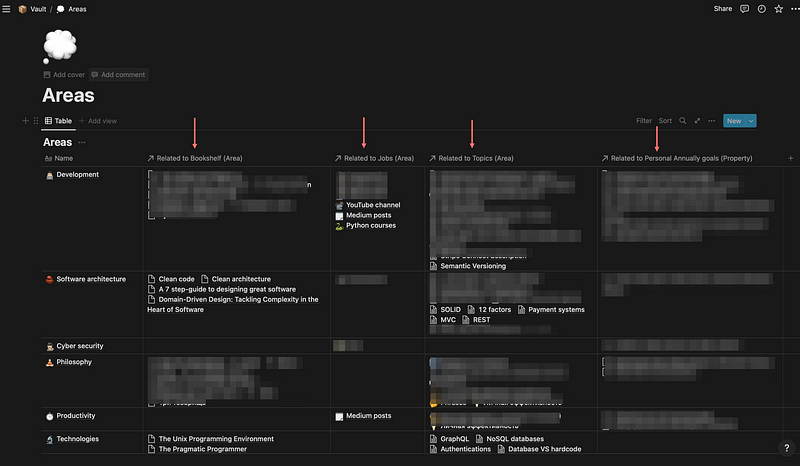
When an Area appears across several databases, it becomes a navigational hub. I no longer need to remember the exact location of a note. I can often recover it by following the responsibility domain or the technical label connected to it.
That is why I treat tags and relations as retrieval infrastructure, not as decoration.
Views are interfaces, not truth
One database should support several interfaces.
For example, I can create a view for recently updated notes and place it on the Desktop page. I can also create a narrower mobile-oriented view that emphasizes personal planning rather than technical material.
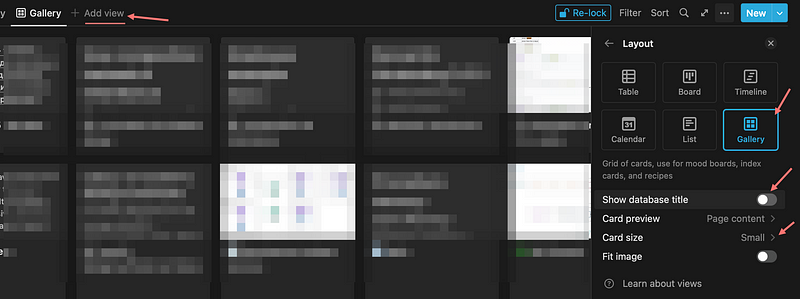
A good view reduces friction for a context; it should not redefine the underlying structure.
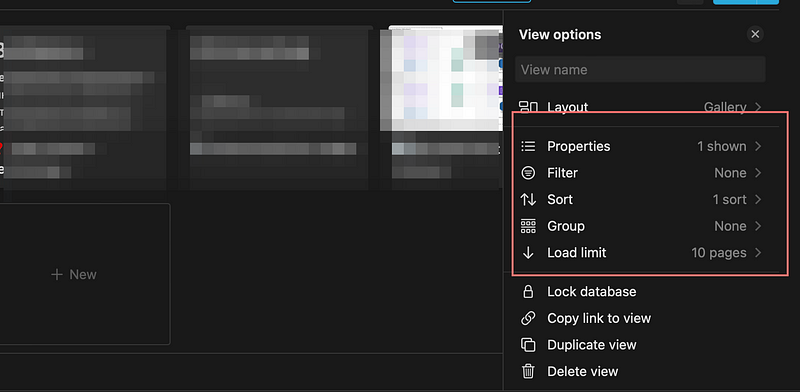
This is one of the strongest reasons to use Notion for this kind of work: the same stored records can support a dashboard, a review workflow, or a mobile-friendly front page without duplication.
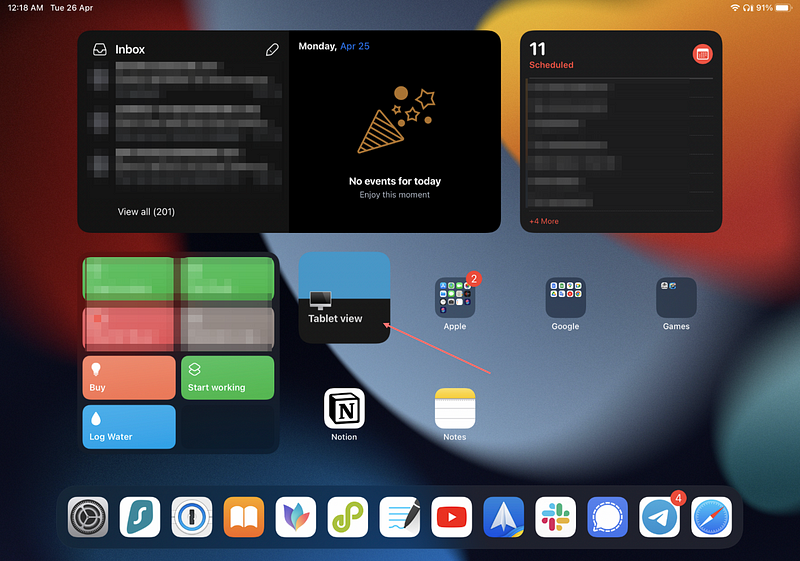
Widgets and device-specific views extend the same idea.
Summary
The central idea of this setup is simple: build around durable categories, not around the current shape of the homepage.
A good Notion workspace is not one perfect dashboard. It is a relational model that survives changing interests, changing workflows, and changing interfaces.
Recommendations
- define Areas early
- keep the number of databases small
- use relations for stable categories, not for improvised labels
- treat dashboards as interfaces, not archives
- keep nesting shallow
- introduce a second taxonomy only when a general one stops being enough
If the front page can change without forcing the archive to change, the structure is probably doing its job.